Click a line, jump there
Click a chapter or a subtitle line and the player goes to that moment. Subtitles show on the video; CC turns them off.
 Cuebox
Free for Windows
Cuebox shows every channel and playlist in your archive, plays each video with its chapters and subtitles, and jumps to any line you click. It only reads your files.
Cuebox runs on Windows. Open this page on your Windows PC to install it.
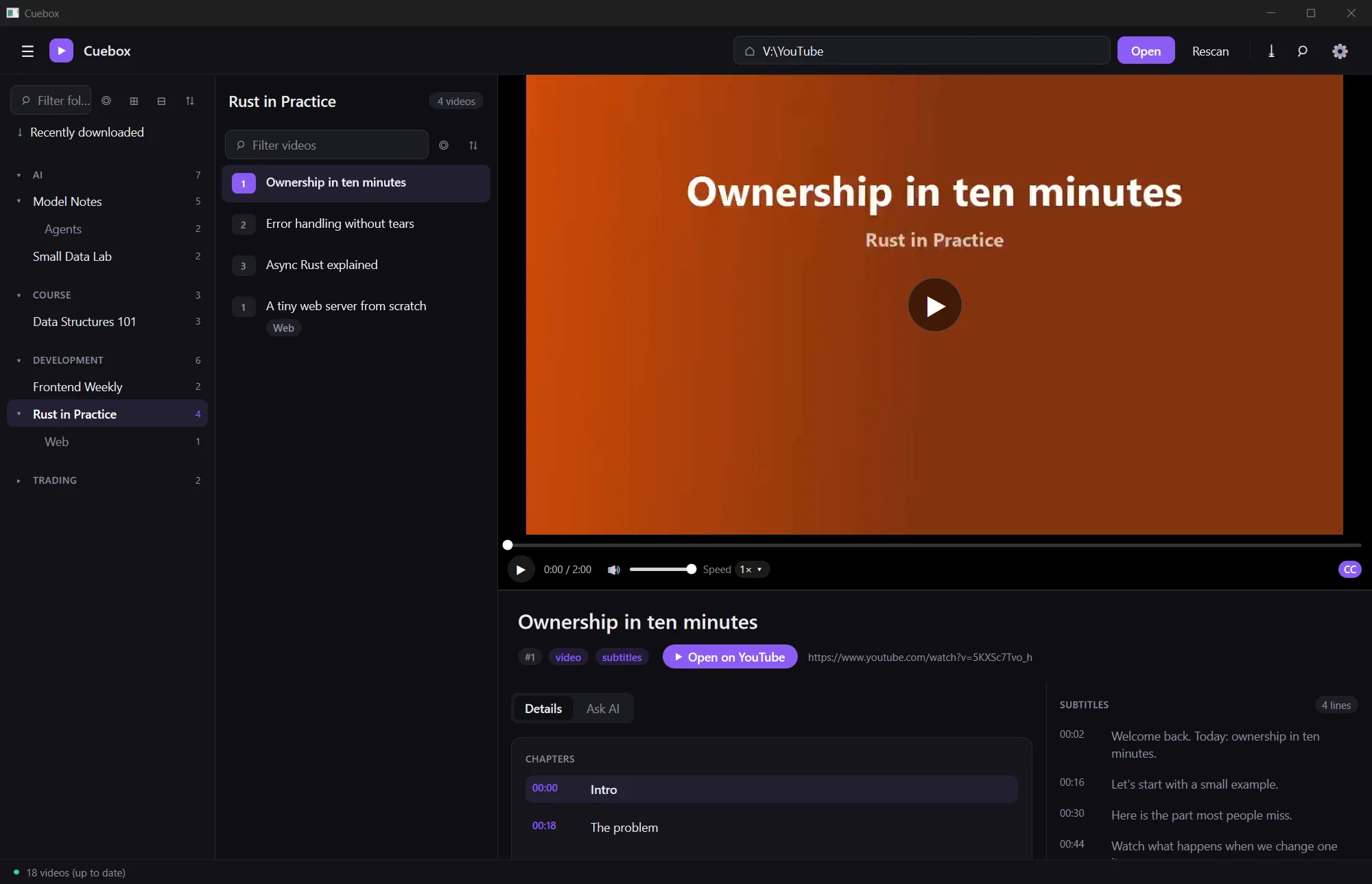
Point Cuebox at your archive and press Open. Categories, channels and playlists come from your folders. Each video is a group of files with the same name:
.mp4the video.txtthe YouTube link, the description and the chapters.srtthe subtitlesAny of them can be missing. The first scan is cached, so the next start is fast, and Rescan reads the folder again.
YouTube\
  Development\                  category
    Rust in Practice\           channel
      Web\                      playlist
      01 Ownership in ten minutes.mp4
      01 Ownership in ten minutes.txt
      01 Ownership in ten minutes.srt
      02 Error handling without tears.mp4
  AI\
  Course\
Click a chapter or a subtitle line and the player goes to that moment. Subtitles show on the video; CC turns them off.
Search the subtitle text of every video in the archive and open a result at the exact time. Find with AI picks the best passages.
A video with no subtitles? Make them on this computer with whisper.cpp. Cuebox saves the .srt next to the video, only when you press it.
Summarize it, learn it with Teach me and a short quiz, or chat. Times in an answer jump the player. Use your own OpenAI, xAI, OpenRouter or Ollama Cloud key, or sign in with OpenRouter or Grok.
Each video starts where you left it, and Cuebox reopens the last one. Speed from 0.5× to 3×, autoplay of the next video, and pane sizes are remembered.
Paste a YouTube link, pick the folder, and Cuebox downloads it into your archive with yt-dlp. It shows up in the list at once.
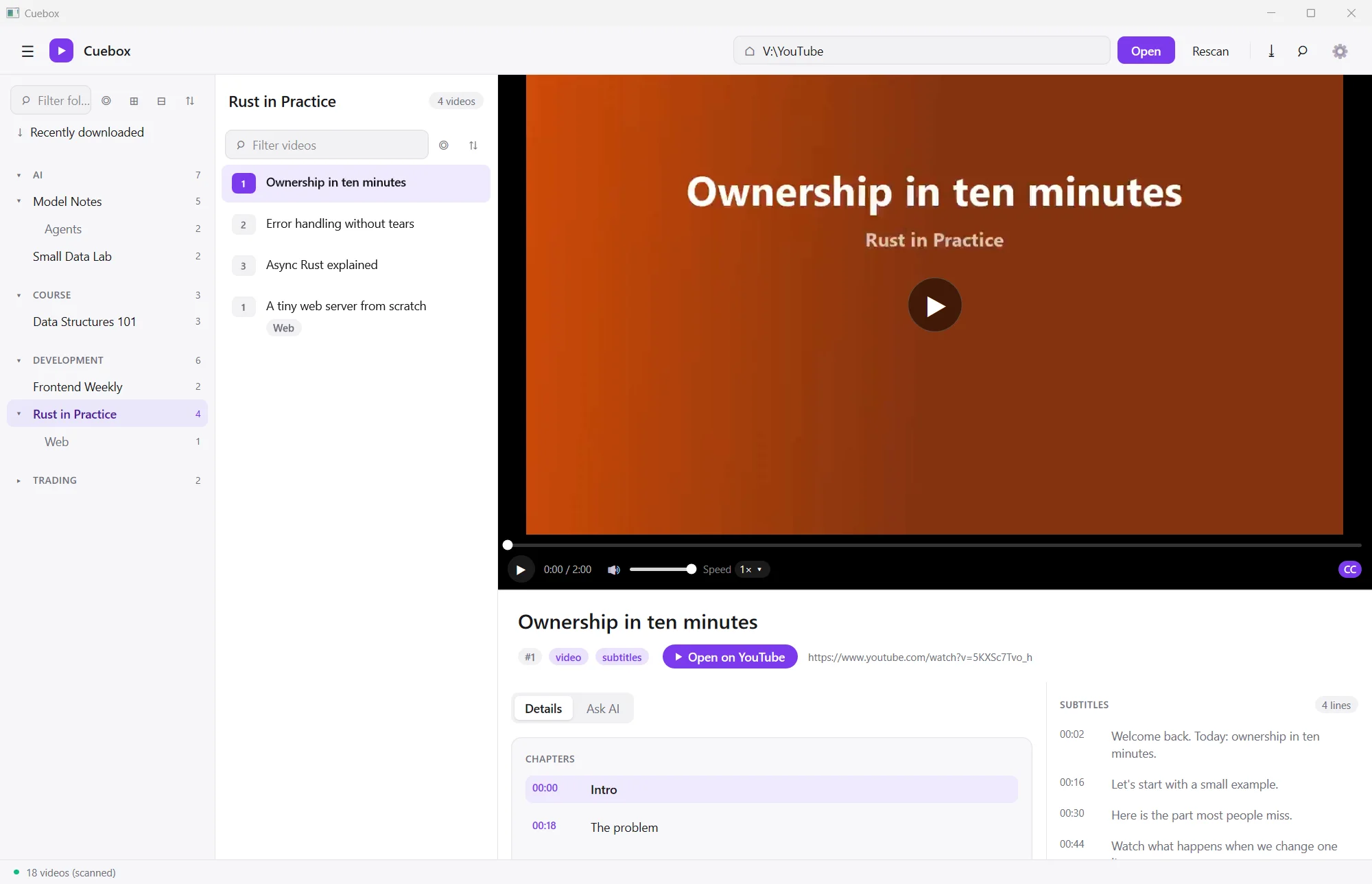
Cuebox only reads the folder. It never writes, moves, renames or deletes a file in it. A missing drive or an offline NAS share gets a clear message, not a crash.
No account is needed. AI features work only after you add your own key or sign in, and only when you ask.
Light and dark themes are both built in.
Cuebox folder and run Cuebox.exe. Keep the nsh folder next to it.Optional: install yt-dlp to archive new videos, and whisper.cpp with a model to make subtitles (set their paths in Settings > Subtitles).
Yes. Cuebox is free to download and use. AI features use your own provider account.
Not yet. Cuebox is a Windows desktop app for now.
Cuebox matches the files of one video even when their names differ a little, for example a YouTube id in brackets, a language tag such as .en.srt, or a cut-off title.
In the app's settings on this computer, as plain text. It is sent only to the provider you choose.
Compare the file's SHA-256 with the one shown here: loading…